How do I turn a TikTok into text?
Open it on tiktok.com in Chrome, click the Reelread icon and press Transcribe. It plays once from the start, and its words appear in the side panel.
- Open the TikTok on tiktok.com in Chrome or Microsoft Edge on your computer.
- Click the Reelread icon, then press Transcribe.
- Copy the words when it ends, or edit them first. Your last 20 transcripts stay in Recent, each with a link back.
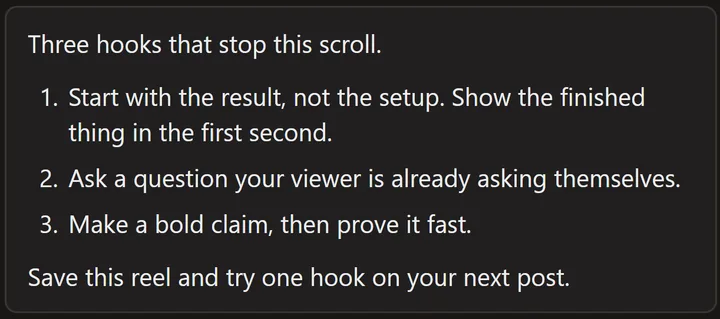 A demo reel we made ourselves, written out in Reelread.
What can't it do?
It runs in a browser on a computer, so it can't work inside the TikTok app, and it writes speech only, without on-screen text or song lyrics. We build Reelread in India, where TikTok is blocked, so most of our own testing has been on Instagram and YouTube Shorts: if a TikTok doesn't work, tell us and we'll fix it.
Questions
Does it work on TikToks without captions?
Yes. Reelread listens to the sound, so a TikTok doesn't need captions.
Do I need the TikTok's link?
No. It works on the TikTok playing in your tab, so there's nothing to copy or paste.
Can I get TikTok subtitles as an SRT file?
Yes, with Reelread Complete ($11 once, no subscription): download the transcript as SRT subtitles with timings. TXT and Markdown downloads are free.
Can I translate a TikTok to English?
Yes, for free, in desktop Chrome 138 or newer. See how to translate a reel to English.
What if I swipe to the next TikTok?
Reelread pauses and keeps what it heard. Go back to carry on, or discard it and press Transcribe on the new one.
Is it free?
Yes: unlimited transcripts for your first 5 days, then 7 a day, with translation and TXT and Markdown downloads. Reelread Complete, $11 paid once, adds unlimited transcripts and SRT subtitles. See pricing.